Point. Scan. Welcome.
One app for the door: download BrightStar Organizer, sign in with your team login, pick the event and scan.
Sign upIncluded on every plan, Free included.
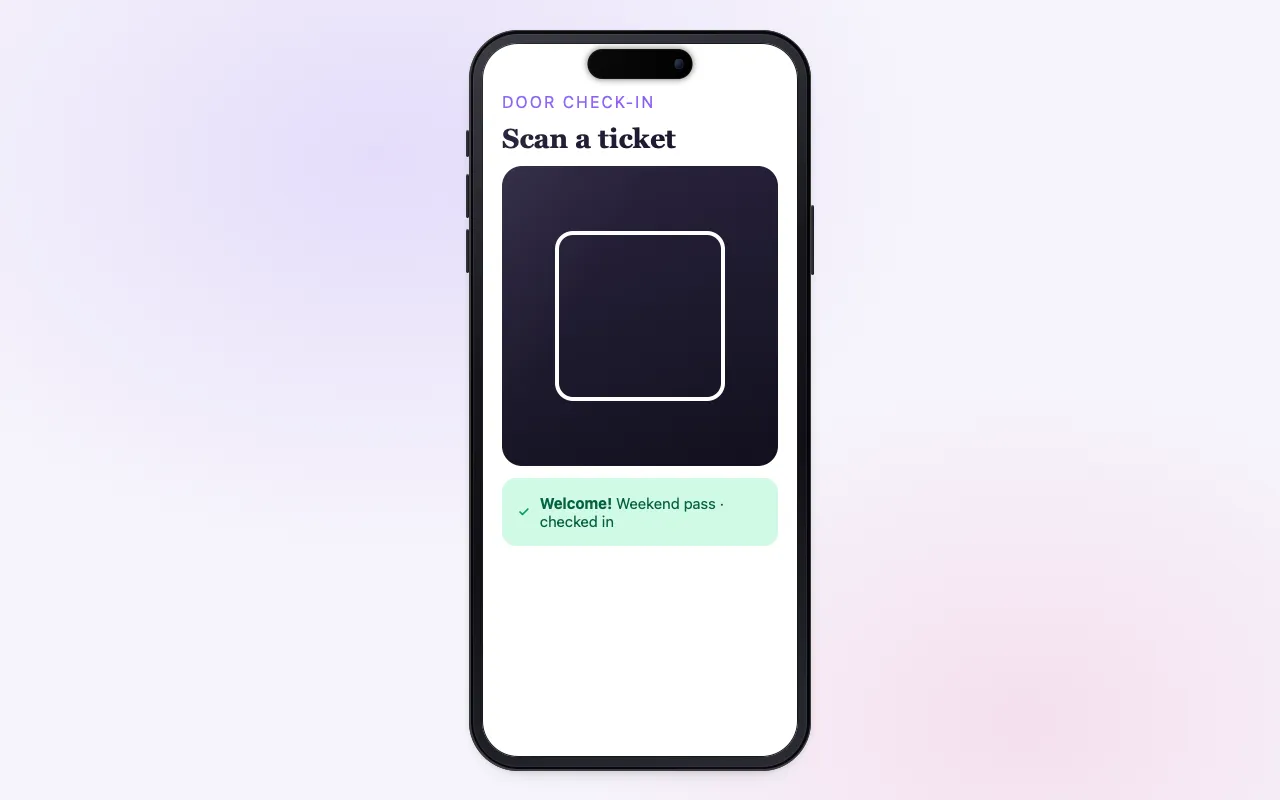
Point. Scan. Welcome.
One app for the door: download BrightStar Organizer, sign in with your team login, pick the event and scan.
Sign upIncluded on every plan, Free included.
A calm door, every time
One app for the door
BrightStar Organizer is free on the App Store and Google Play. Download it, sign in and scan.BrightStar Organizer is free on the App Store and Google Play.
Your team, signed in
Each helper signs in with their own team login and sees only what you give them access to.
Catches duplicates
A ticket already scanned shows as such, so no one gets in twice. Every device checks against the same live list, and the Guests tab allows manual check-in.A ticket already scanned shows as such, so no one gets in twice.
How it works
Get the app
Download BrightStar Organizer free from the App Store or Google Play.
Sign in with your team login
Add your helpers to your team with scan access, and they sign in with their own account.
Pick the event and scan
Each QR code is checked in an instant.
Loved by artists and organizers
“Not only does BrightStar offer a powerful software platform that has worked very well for my events, but their client support is the best. Their communication is personal, heart-centered, and always thoughtful.”

Peter KaterTwo-Time Grammy Winner (Client Since 2014)
“We've been so happy with the outstanding customer service that we've received while working with BrightStar, and feel great about supporting a company that is authentically committed to the ideals of higher consciousness.”

Eric ForbisFounder, BuddhaFest (Client Since 2012)
“For nearly two decades, Akal (owner of BrightStar) has been lending his skills and talents in support of the Bhakti movement. His platform uniquely serves our movement with authenticity and heart. The technology also rocks!”

Jai UttalGrammy Nominee (Client Since 2014)
Questions organizers ask
Do volunteers need an account?
Yes, a free one of their own. You add them to your team with scan access, and they sign in to the BrightStar Organizer app with it. Nobody shares your password.
What happens if a ticket was already scanned?
The scanner says so at once, which stops duplicate entries.
Is there a browser version?
Yes. A signed-in teammate with scan access can also check people in from the scanner in a phone’s browser. The app is the main way, and it also sells tickets at the door.
Does it work offline?
Checking in needs a connection, because every ticket is checked live against your guest list. Offline check-in is in development for Pro and Amplify and is not in the store apps yet.
Which plans include it?
Every plan, including Free.
Read more
A ticket scanner app made for the door, not the warehouse
The door is where a gathering begins. People arrive a little early or a little late, someone has their ticket in an email from three weeks ago, a friend is holding a ticket that was shared with them, and a volunteer who has never used a scanner before is standing at the front with a phone. BrightStar Organizer is built for that moment. It is a free ticket scanner app for iPhone, iPad and Android phones, published on the App Store and Google Play under the name BrightStar Organizer, and it does one thing first: it tells the person at the door, in a second, whether the ticket in front of them is good. There is no scanning hardware to rent, no separate check-in service to sign up for and no fee per scan. The scanner is part of every BrightStar plan, Free included.
Getting the app onto your helpers’ phones
The simplest way to get the app is the short link on your dashboard: on a phone it opens the right store, and on a laptop it shows a QR code that a phone can scan to reach the store. In the dashboard, Scanner & POS opens that code. Your door helpers sign in with their own free BrightStar account, not with yours. You add each of them to your team with the scan permission, and from then on they see the events they are allowed to work and nothing else: not your payouts, not your other settings. When the event is over you can remove their access in Team, and their account simply stops seeing it. Nobody has to share a password, and you always know who checked whom in.
How a scan is checked
Every BrightStar ticket carries a QR code that names the event and the ticket. When a helper points the camera at it, the app first checks that the code belongs to the event they picked, so a ticket for last month’s workshop or another organizer’s concert is refused on the spot with a plain message. It then asks BrightStar about that exact ticket, live. A ticket that is valid is checked in and the screen says so. A ticket that has already been scanned says “Already checked in” with the time it was first used, so the same QR code shown twice, or a screenshot passed to a friend, does not get two people in. A ticket that was voided, or refunded and voided, is refused. Because every phone at every door asks the same live guest list, two helpers at two doors cannot both let the same ticket in.
Shared tickets and guests without a phone
When a buyer shares a ticket with someone in their group, that person receives their own email with their own QR code, and the door scans it like any other ticket. Not every guest arrives with a code ready. The app’s Guests tab lists everyone holding a ticket for the event, with a search, so a helper can find a name and check that person in with one tap. If someone was checked in by mistake, tapping their row again asks “Undo check-in?” before anything changes, so a stray tap never quietly lets a ticket in twice. The counts at the top of the list are the whole event: how many tickets there are, how many are in and how many are still to come, the same on every helper’s phone.
Checking in from a laptop or a browser
Some events have a table and a laptop instead of a phone at the door. In the dashboard, each event’s guest list has a Check in button beside every ticket holder, an undo, and check-in for several people at once, so you can welcome people without the app and without a QR code. Teammates with the scan permission can use it too. There is also a scanner that runs in a phone’s browser for a signed-in teammate with scan access. The app remains the main way to work the door: it is faster, it keeps the camera ready, and it is where door sales live.
Selling tickets at the door
Walk-up guests are part of many gatherings. In the same app, the door sales screen lists the ticket types you are selling, leaving out hidden ones, which your public page does not offer either, and dropping any that have sold out. Just before a sale is recorded it checks again that a place is still available, so the door never sells a ticket the online checkout has just sold. Each door sale becomes a real BrightStar order with its tickets, so it appears in your orders and your guest list beside the online sales.
What the scanner does not do yet
Checking in needs a connection, because every ticket is checked live against your guest list; with no signal, a scan cannot be confirmed. If the venue’s signal is weak, a stable Wi-Fi network for the door helps. Offline check-in, where the app decides on the phone and syncs later, is being built for Pro and Amplify and is not in the store apps yet. We say so plainly here because a door that promises more than it can do is worse than a door that is honest about what it needs.
Why organizers in this world use it
BrightStar began with kirtan concerts, retreats and festivals, where the door is often staffed by volunteers and friends of the community. The scanner reflects that: one free app, a login of their own for each helper, a clear answer on every scan, and a guest list that lets a person be welcomed by name when the code will not load. It works the same for a forty-person yoga workshop and for a hall of a thousand, and it costs nothing extra on any plan.
Maestro
Maestro works in your dashboard: ask in your own words, check the change on one card, tap to apply.
See the feature →Message Center
One inbox on every plan. Automatic replies with Pro and Amplify.
See the feature →Team access
Invite the people who run your events with you, give each one a role, and keep money and buyer details to those who need them.
See the feature →Email Sequences
Confirmations go out the moment someone buys, and timed reminders keep your event in mind until the day.
See the feature →AI FAQ Assistant
Your event page carries its own questions and answers, and an assistant on the page answers the rest from your event’s details.
See the feature →Analytics & Reporting
Sales, revenue and returning guests as they happen, with insights in plain words about what to do next.
See the feature →See allThere is more to see.