Paperless waivers, on record.
Your waiver appears in checkout, each buyer agrees before paying, and the record shows exactly which version they accepted.
Sign upIncluded on Pro and Amplify.
Paperless waivers, on record.
Your waiver appears in checkout, each buyer agrees before paying, and the record shows exactly which version they accepted.
Sign upIncluded on Pro and Amplify.
No more stacks of paper
Signed before they arrive
Agreement happens at checkout, so there is no clipboard line at the door.
The exact wording kept
Each acceptance is stored with a fingerprint of the text as it read at that moment.
In every export
Attendee, check-in and order exports show who accepted, and flag acceptances of an older version.
How it works
Add your waiver
Paste your waiver text as a checkout question in the event’s tools.
Make it required
Buyers cannot complete checkout without agreeing.
Keep the record
Acceptances appear in your reports, with the version each person agreed to.
Loved by artists and organizers
“For nearly two decades, Akal (owner of BrightStar) has been lending his skills and talents in support of the Bhakti movement. His platform uniquely serves our movement with authenticity and heart. The technology also rocks!”

Jai UttalGrammy Nominee (Client Since 2014)
“Not only does BrightStar offer a powerful software platform that has worked very well for my events, but their client support is the best. Their communication is personal, heart-centered, and always thoughtful.”

Peter KaterTwo-Time Grammy Winner (Client Since 2014)
“We've been so happy with the outstanding customer service that we've received while working with BrightStar, and feel great about supporting a company that is authentically committed to the ideals of higher consciousness.”

Eric ForbisFounder, BuddhaFest (Client Since 2012)
Questions organizers ask
Can I use my own waiver language?
Yes. You paste your own text. Have it reviewed by legal counsel familiar with your activity and place.
What if I change the waiver later?
Each acceptance records the version it was given against, so exports show who agreed to the current text and who to an earlier one.
Where do I see who has agreed?
In the Attendee List, Check-in, No-shows and Order Detail exports, and in scheduled reports.
Read more
What a digital waiver is here
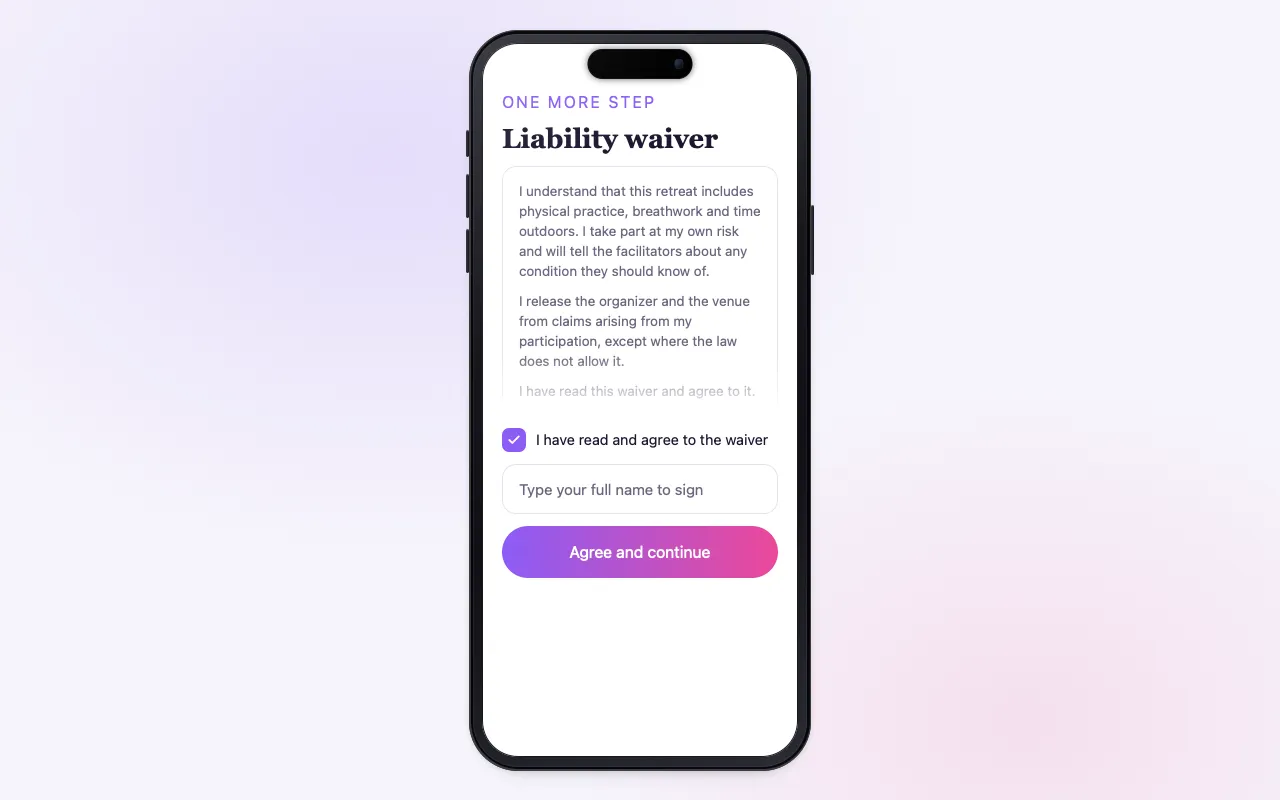
Many gatherings ask participants to accept something before they take part: a liability release for a yoga intensive or a breathwork session, a health declaration for a sweat lodge, a code of conduct for a festival, a photo consent. On paper this means a clipboard at the door and a folder to keep afterwards. On BrightStar, the agreement is part of checkout. The buyer reads your text and ticks “I agree” before they pay, and that acceptance is stored with their booking. We describe it carefully for what it is: an agreement accepted by a tick at checkout, with a record of the wording. It is not a drawn or typed signature.
Adding your waiver
A waiver is one of the question types you can add to an event’s checkout, beside short text, long text, dropdowns and checkboxes. You choose Waiver, give it a title and paste in your own agreement text. You can mark it required, in which case an order cannot be completed until the box is ticked. The waiver then sits with your other checkout questions, such as an emergency contact, in one short step.
What the buyer sees
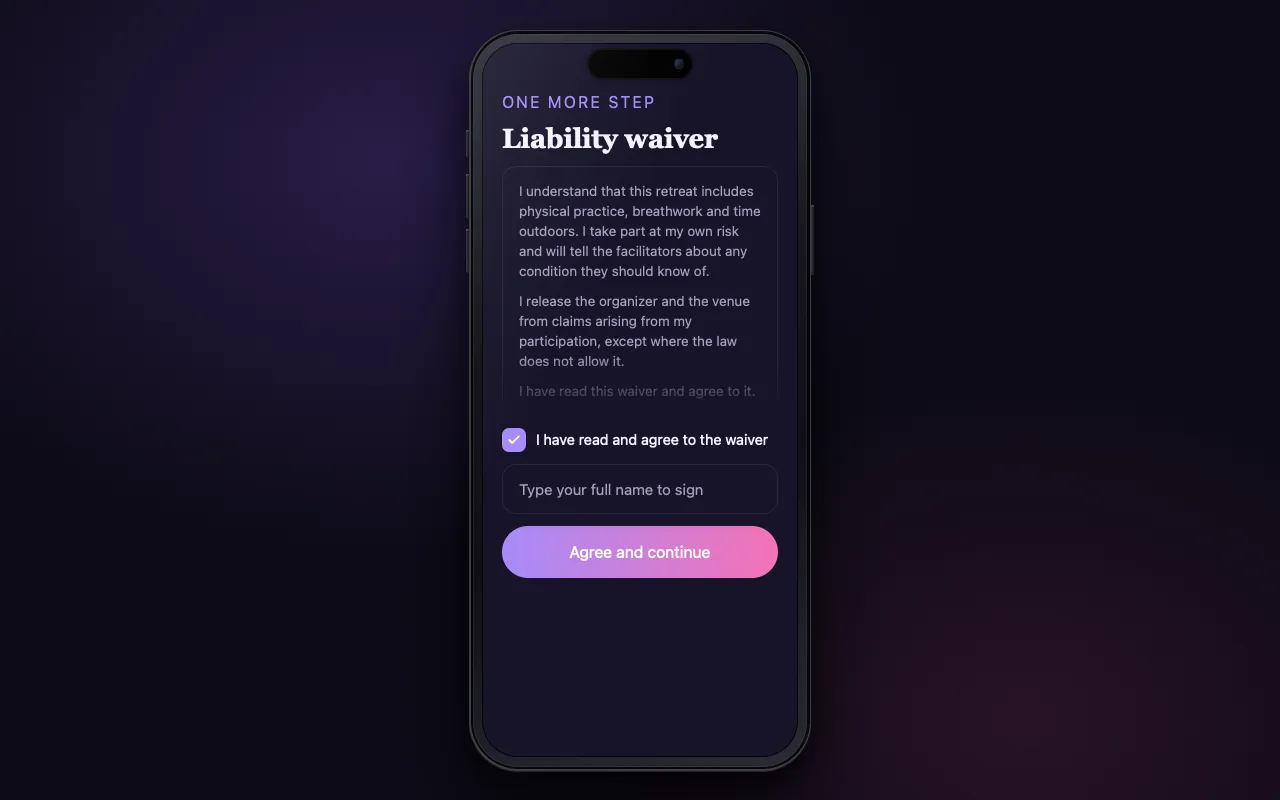
The full text of the agreement is shown in checkout in a scrolling box, not hidden behind a link that nobody opens. Beneath it is the “I agree” tick. This matters: a person accepts what they were actually shown. On a phone the box scrolls in place, so the buyer can read to the end without leaving checkout.
A record of the exact wording
When a buyer accepts, BrightStar stores the acceptance together with a short fingerprint of the waiver text as it read at that moment. If you later edit the wording, that fingerprint changes. Earlier acceptances are not rewritten to look as if they were given for the new text; they are marked as made against an earlier version. You can therefore always tell who agreed to the current wording and who agreed to a previous one.
Where you see who has agreed
Acceptances appear in your exports. The Attendee List, Check-in, No-shows and Order Detail reports each show “Accepted” for the people who agreed, with a column naming the version and whether it is still the current text. Scheduled reports carry the same columns, so a list sent to your inbox the morning of the event already shows it. At the door, your team can work from that list instead of a stack of paper.
Your wording, your counsel
The text is entirely yours. BrightStar provides the place to show it and the record that it was accepted; we do not write waivers and we do not give legal advice. Laws about liability and consent differ by country, by state and by activity, so have your agreement reviewed by a lawyer who knows your work and the place where your event is held, and ask them whether a tick at checkout is sufficient for your purpose.
When one buyer books for several people
An agreement at checkout is accepted by the person completing the order. If one buyer books for a group and you need each participant to agree in person, plan for that: you can ask the buyer to confirm on behalf of the group in your wording, or collect individual agreement on arrival for those guests. Ticket sharing sends each guest their own ticket, but it does not ask them to accept your waiver.
Where it is included
Waivers are part of custom checkout questions, which are on Pro and Amplify. There is no extra charge per acceptance and no separate service to connect.
What a waiver is good for
Organizers use the waiver question for several kinds of agreement. A liability release for physical practice such as yoga, dance, cold exposure or breathwork. A health declaration, where participants confirm they are fit to take part. A code of conduct for a festival or a silent retreat. Consent to being photographed or filmed. A statement that the participant is of age. Each is simply a text and a tick, so one event can carry more than one agreement if you need them kept apart.
Writing a text people can read
An agreement nobody reads protects nobody well. Keep yours as short as your counsel allows, in ordinary words, with the important points first: what the activity involves, what risks it carries, what the participant confirms and what they take responsibility for. Because the full text is shown in checkout, a clear page of text is far better than six pages of clauses.
If you change the text while tickets are on sale
You may need to update a waiver after sales have begun, for instance to add a venue rule. From that moment new buyers accept the new wording. People who booked earlier stay recorded against the wording they saw, and your exports mark those acceptances as given for an earlier version. If the change matters for everyone, use that column to see who needs to be asked again, and contact those guests before the event.
Ticket Categories
Group your ticket types into clear categories, so buyers see the shape of your event and find their ticket fast.
See the feature →Smart Pricing
Get a suggested price for every ticket type, based on similar events near you, and decide for yourself.
See the feature →Coupon Codes
Codes that open and close on your event's own clock, cover only the tickets you choose, and show you what each one sold.
See the feature →Assigned Seating
Buyers pick their exact seat from a clear, live map, and the seat is theirs the moment they pay.
See the feature →Embed Widget
Paste one snippet on your site and buyers choose tickets and pay right there, without being sent away.
See the feature →Waitlist
Your event page captures interest at every stage, from before tickets open to after it sells out, and follows up for you.
See the feature →See allThere is more to see.